Select
Highlight text in any app and use the global shortcut.

THE TRANSLATION WORKBENCH
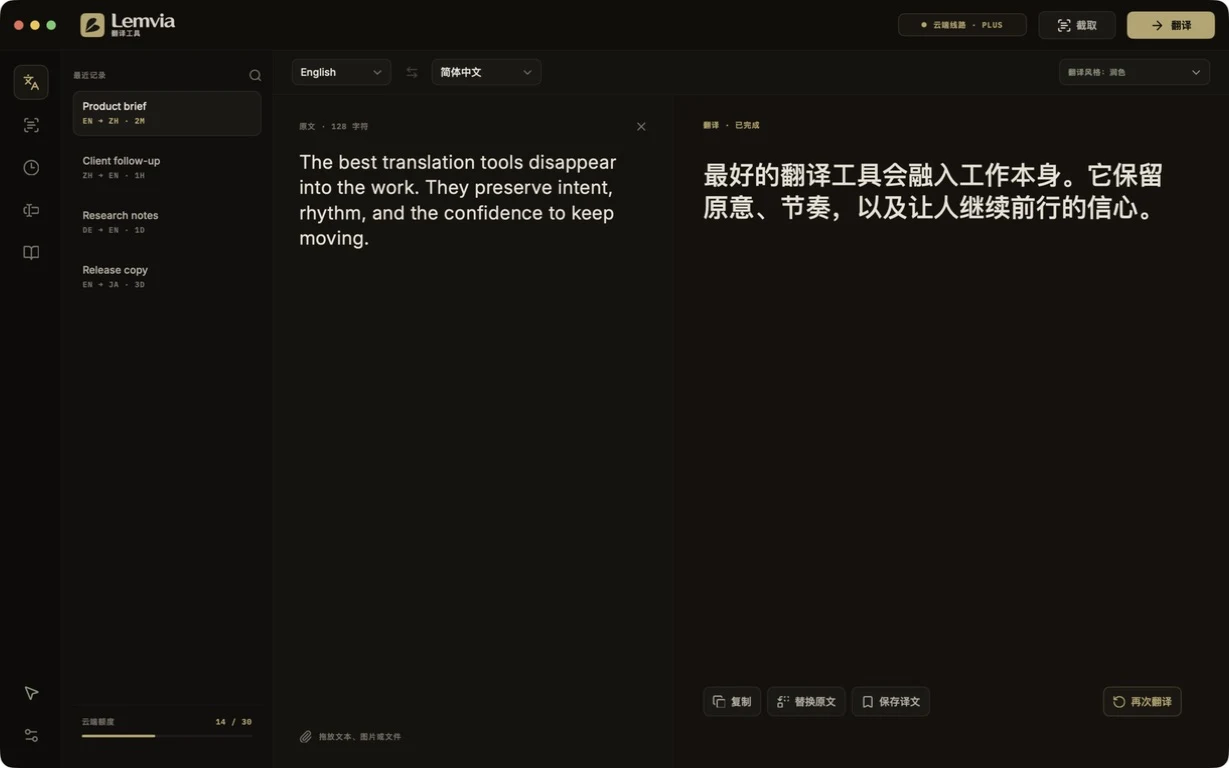
Select a phrase, frame the screen, or write from scratch. Lemvia keeps the source, route, tone, and result in one place.
THE WORKSPACE
The bilingual desk stays deliberately quiet. Language, tone, route, and history remain visible without competing with the text.
FROM A PHRASE TO THE RIGHT PLACE
Highlight text in any app and use the global shortcut.
Lemvia detects the source and follows your chosen style.
Copy the result or replace only the selected phrase.
OCR · SINGLE · CONTINUOUS · BATCH
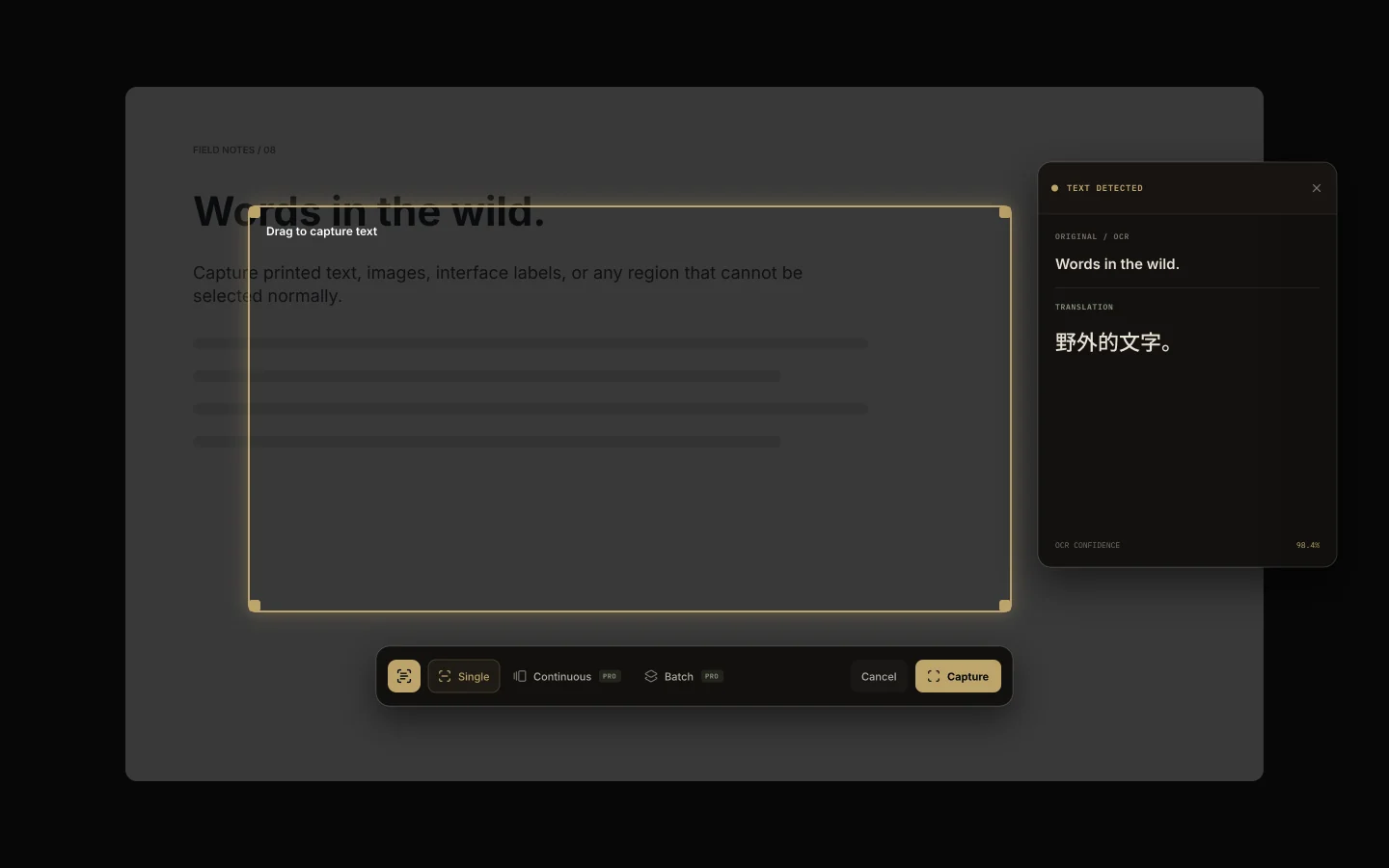
Capture menus, subtitles, scanned pages, or several regions at once. Region memory returns to the last useful frame.