Translate selected text without opening a new tab.

A QUARTZ PRODUCT · MADE FOR MAC
Translate text anywhere on your Mac.
Lemvia is a Mac translation app for selected text, screen OCR, and focused bilingual work. Translate in place, then bring the result back to the source.
macOS 13+ · Apple silicon & Intel · 7 interface languages
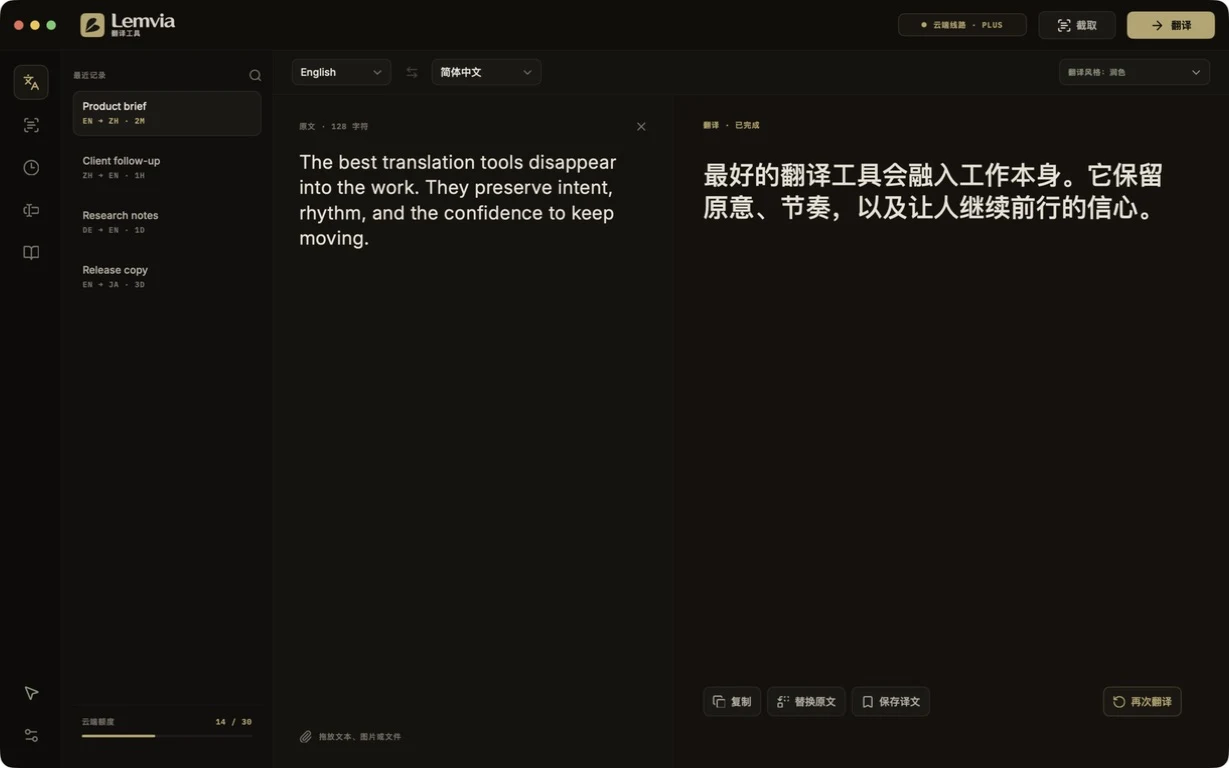
SELECTCAPTURETRANSLATECOPYREPLACE
OCR menus, screenshots, PDFs, and images.
Copy or replace the original text in one step.
Use Lemvia Cloud or bring your own API key.
THREE WAYS IN · ONE PLACE OUT
Translate where the sentence
already lives.
No browser detour. No copy-paste maze. Lemvia meets the text in its original context, then disappears when the work is done.
A
SELECT
Words in any app
Highlight a sentence, press your shortcut, and receive a compact translation beside the source.
B
CAPTURE
Text the screen will not give you
Frame a menu, image, subtitle, or scanned page. OCR extracts and translates it in one pass.
C
TYPE
A focused bilingual desk
Paste or write longer material in Lemvia’s two-pane workspace, with tone, glossary, and history nearby.
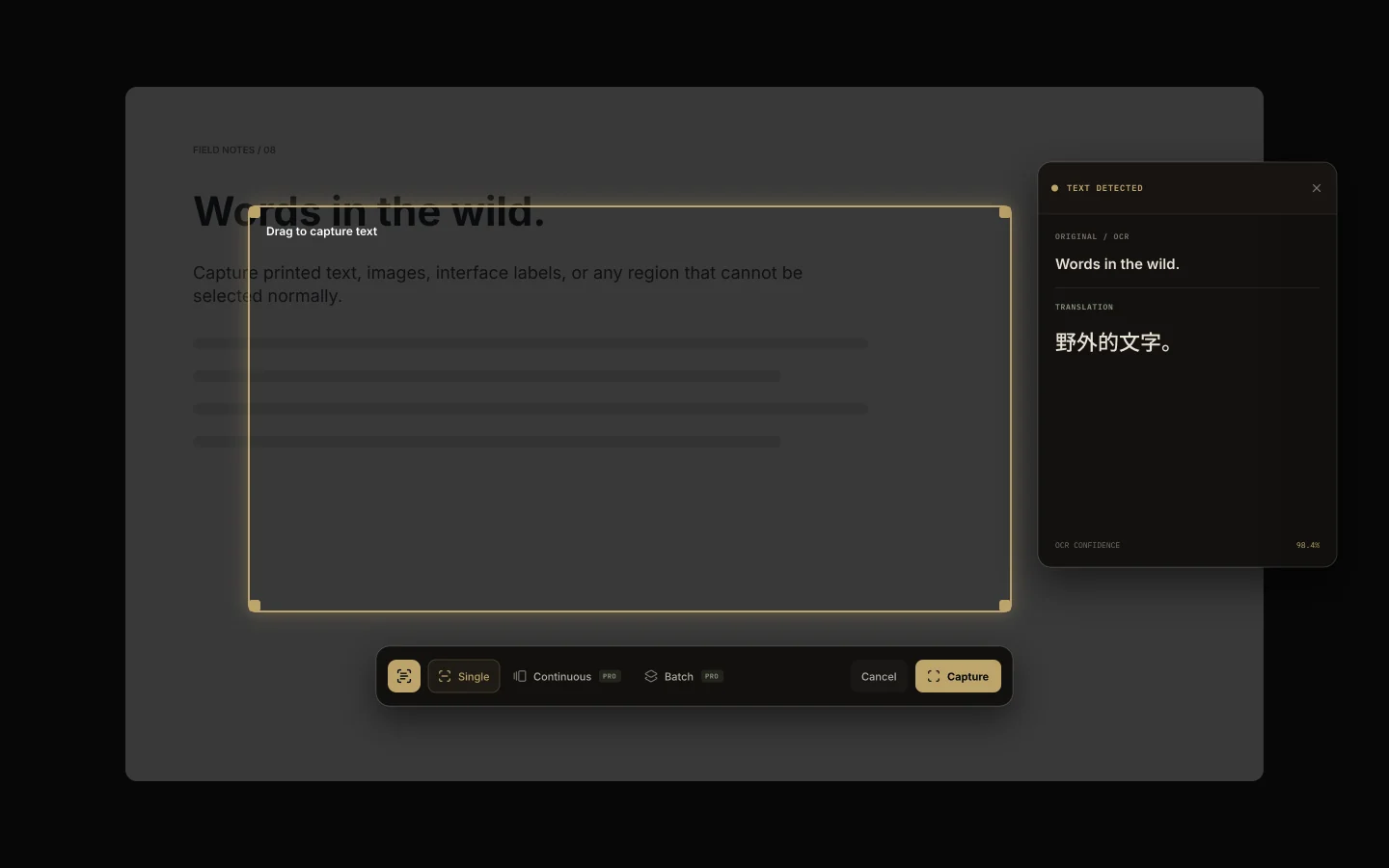 ⌖ Screen text → editable translation
WHEN TEXT IS VISIBLE BUT NOT SELECTABLE
Draw a frame.
Keep the meaning.
Capture subtitles, scanned documents, menus, slides, and images. Lemvia recognizes the text locally, preserves reading order, and sends only the extracted words to your chosen translation route.
- Accurate mode
- Vision OCR with automatic language hints
- Continuous capture
- Keep the same region and translate updates
- Batch capture
- Queue several regions before processing
- Region memory
- Return to the last useful frame
PRIVATE BY DESIGN, CLEAR BY DEFAULT
Your text is not a product.
Lemvia reads content only when you trigger a feature. Local history stays on your Mac. Cloud translation is explicit and the route is always visible.
LOCAL HISTORY▱
Stored on your Mac
Searchable translation history can remain entirely local, with your own retention limit.
VISIBLE ROUTES⌘
You know where text goes
The interface names the active cloud or personal API route before translation.
MINIMAL ACCESS⌂
Permission only when needed
Accessibility, input monitoring, and screen capture are requested for the features that use them.
NETWORK ACTIVITY
Only downloads, checkout, license verification, and the translation route you choose.
SIMPLE OWNERSHIP · OPTIONAL SERVICE
Own the workflow.
Add cloud only when it helps.
Local tools are a one-time purchase. Translation service is available as a subscription or with your own compatible API key.
FREE
$0
Core translation- Selection shortcut · Single OCR
- Use your own compatible API key
- 20 local history items · 20K cloud characters monthly
LIFETIME PRO
$24.99
Local workflow, once- Automatic selection · Advanced OCR
- Styles and glossary
- Unlimited local history
CLOUD PLUS
$3.99 / month
Service when you need it- Or $29.99 / year
- 500K cloud characters monthly
- Everything in Lifetime Pro
Cloud Plus already includes every Lifetime Pro feature. You do not need to buy both.Compare launch plans ↗