
FOUR ROUTES · ONE CONTINUOUS DESK
Begin where the
sentence already
lives.
Selection, capture, manual input, and return are not separate tools. They are four points in one translation workflow.
Download for MacA SENTENCE MOVES THROUGH LEMVIA
One shortcut opens the route you need.
The interface stays small until the work asks for more.
01 · SELECT ANYWHERE
Keep the sentence
inside its context.
Highlight a phrase in Mail, Safari, Notes, TextEdit, or another Mac app. Lemvia appears beside the source and returns only what you chose.
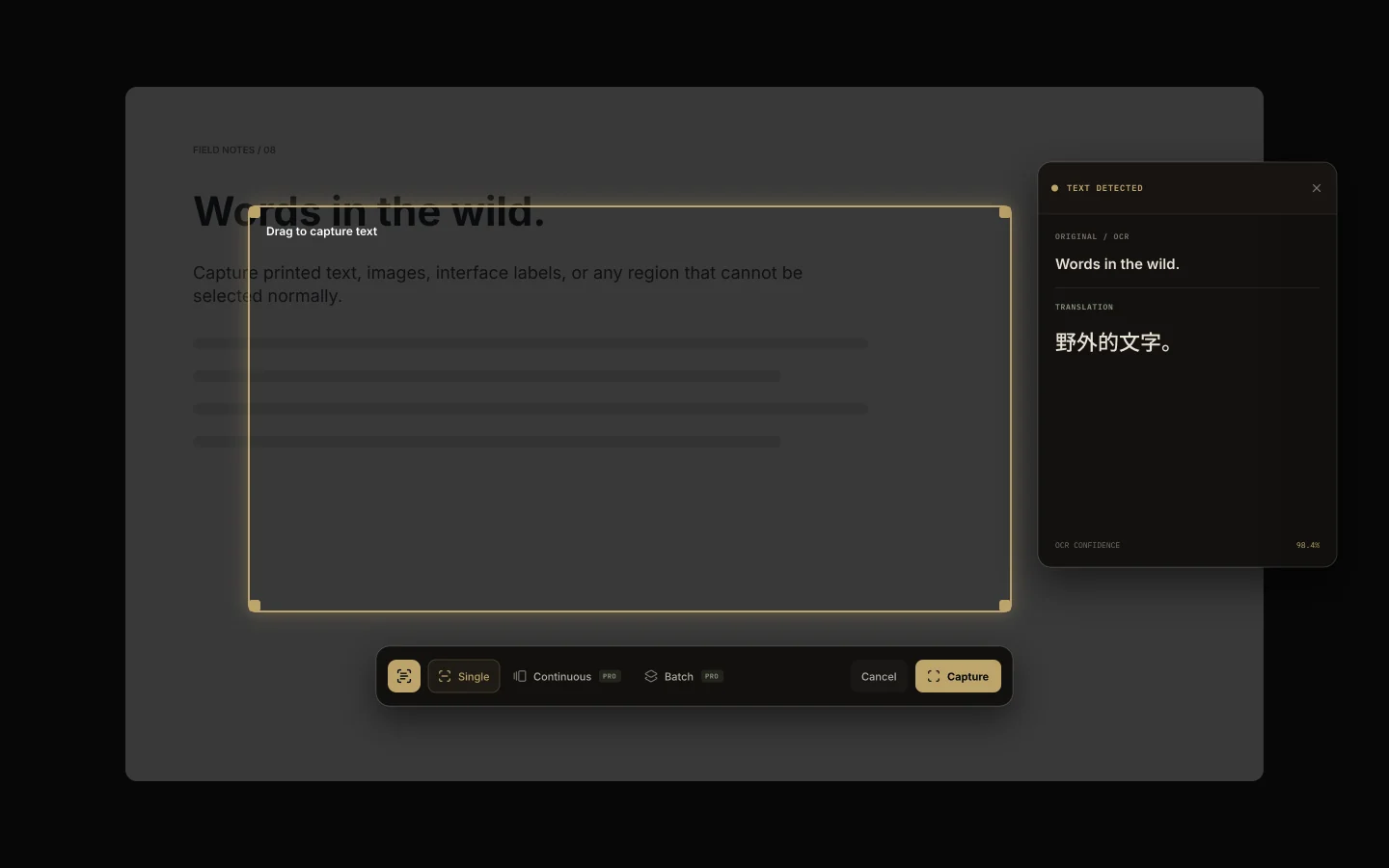
02 · CAPTURE WHAT YOU SEE
Draw a frame. Keep the meaning.
OCR reads menus, documents, subtitles, or several queued regions. Continuous mode watches one area as its content changes.
- SINGLE
- One frame, one result
- CONTINUOUS
- Watch the same area
- BATCH
- Queue several regions
03 · TYPE WITHOUT LEAVING THE DESK
A quiet bilingual
surface for longer thoughts.
Paste or write directly when there is no selected text. Tone, glossary, route, and history remain within reach.
04 · RETURN TO THE SOURCE
Copy the result, or replace only what changed.
Lemvia preserves the surrounding text. The selected range is replaced, not the whole document.
Choose the route, not a different workflow.
Use Lemvia Cloud for convenience, or bring a compatible API key when you want direct control.